How to Choose the Right Software Tools for Your Work
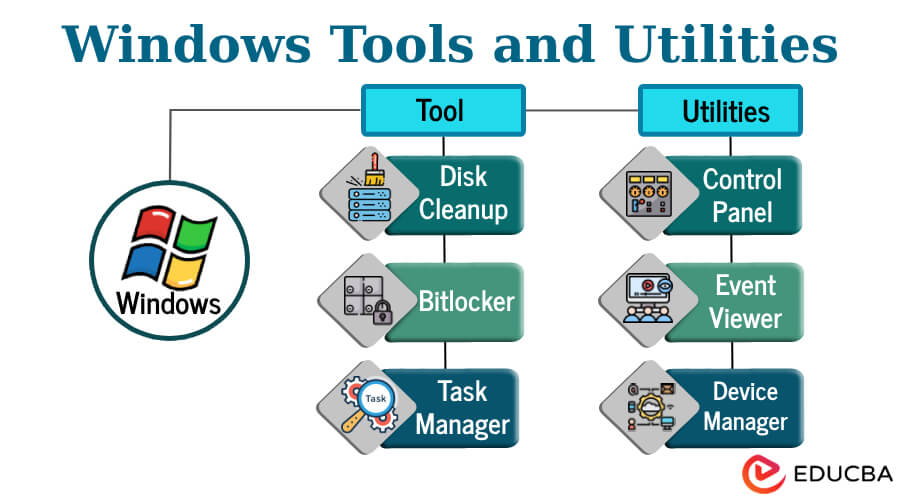
Software Tools: Choosing the Right Solutions for Your Work
Software tools help people and organizations complete tasks, solve problems, and work more efficiently. From writing documents and managing projects to analyzing data and communicating with customers, the right tools can make everyday work simpler and more organized.
What Are Software Tools?
Software tools are applications or programs designed to perform specific functions. Some run on a computer or mobile device, while others are accessed through a web browser. Many are built for individual use, and others help teams collaborate or manage shared information.
Common categories include:
- Communication tools: Email, messaging, video meetings, and shared workspaces.
- Productivity tools: Word processors, spreadsheets, calendars, and note-taking apps.
- Project management tools: Software for organizing tasks, timelines, responsibilities, and project updates.
- Creative tools: Applications for graphic design, photo and video editing, publishing, and audio production.
- Business tools: Systems for customer relationships, accounting, inventory, scheduling, and operations.
- Development tools: Programs that help teams write, test, manage, and maintain software.
How Software Tools Can Help
Well-chosen software can reduce repetitive work, keep information in one place, and help people coordinate more easily. For example, a project management application can give a team a shared view of deadlines and responsibilities. A spreadsheet can help organize records and identify patterns. A cloud-based document editor can let several people review and update the same file.
Tools can also support consistency. Templates, automated reminders, and standardized workflows help teams follow the same process. This can be especially useful when work involves multiple people, recurring tasks, or detailed records.
Choosing the Right Tool
The best software is not necessarily the one with the most features. It is the one that fits the task, the people using it, and the way work gets done. Before choosing a tool, consider these questions:
- What problem should the tool solve?
- Who will use it, and what level of training will they need?
- Does it work with the devices and software already in use?
- Can it handle the organization’s current needs and expected growth?
- What are the full costs, including subscriptions, setup, support, and training?
- How does the provider protect data and manage access?
- Can information be exported if the organization changes tools later?
It can help to test a few options before making a commitment. A short trial or pilot project lets users evaluate the software in real working conditions and identify gaps that may not be obvious from a product description.
Security and Privacy
Software tools may store sensitive information, including business records, customer details, or personal data. Security should be part of the selection process, not an afterthought. Look for features such as multi-factor authentication, access controls, encryption, and clear data-handling policies.
Users also play an important role in keeping information secure. Strong passwords, timely software updates, careful file sharing, and regular reviews of account permissions can reduce risk. Organizations should establish clear guidelines for what information may be stored in each tool and who is allowed to access it.
Making Adoption Easier
Introducing a new tool takes more than installing software. People need to understand why it is being introduced and how it fits into their work. Start with a clear purpose, provide practical training, and offer support as users get comfortable. It is also helpful to gather feedback and adjust workflows when the tool creates unnecessary steps.
A gradual rollout can make the transition easier. A small group can test the software first, document useful practices, and identify problems before the tool is introduced more widely. Clear ownership is important too: someone should be responsible for settings, access, training materials, and ongoing evaluation.
Reviewing Your Software Toolkit
Over time, organizations can accumulate overlapping tools that do similar jobs. Regular reviews can reveal unused subscriptions, duplicate features, security concerns, or opportunities to simplify. At the same time, replacing a familiar tool should be weighed carefully against migration costs, training needs, and the possibility of disrupting established workflows.
Conclusion
Software tools can improve communication, organization, creativity, and efficiency when they are selected and used thoughtfully. Start with the problem to be solved, compare options based on practical needs, and plan for security, training, and long-term support. The right toolkit is not simply a collection of applications—it is a set of solutions that helps people do their work with greater clarity and confidence.
Essential FAQs About Choosing and Using Software Tools
- What are software tools?
- What types of software tools are available?
- How do I choose the right software tools for my needs?
- What are the best free software tools for productivity?
- How can software tools improve team collaboration?
- Are cloud-based software tools safe to use?
- How much do software tools typically cost?
- How can I learn to use new software tools?
- How do I integrate software tools with the systems I already use?
What are software tools?
Software tools are programs or applications designed to help people complete specific tasks. They include word processors, spreadsheets, project management apps, design software, communication platforms, and many other solutions. Depending on the tool, users can create and organize information, collaborate with others, automate routine work, or solve technical problems.
What types of software tools are available?
Software tools are available for nearly every kind of task. Common types include productivity tools for documents, spreadsheets, calendars, and notes; communication tools for email, messaging, and video meetings; project management tools for tracking tasks and deadlines; creative tools for design, photo, and video editing; business tools for accounting, customer management, and inventory; and development tools for building and testing software. The best choice depends on your needs, workflow, budget, and the features you require.
How do I choose the right software tools for my needs?
Start by identifying the task or problem you need the software to address, then list the features that matter most, such as ease of use, compatibility, security, collaboration, and cost. Compare a few options, read recent user reviews, and take advantage of free trials or demos to see how each tool fits your workflow. Consider whether it can grow with your needs and whether reliable support and training are available. The right choice is the tool that solves your problem effectively without adding unnecessary complexity or expense.
What are the best free software tools for productivity?
Some of the best free productivity tools include Google Docs, Sheets, and Drive for creating and sharing files; Trello or ClickUp for organizing tasks and projects; Todoist for managing to-do lists; and Zoom or Slack for communication, though free plans may have limits. The right choice depends on how you work, which devices you use, and whether you need to collaborate with others. Before signing up, check each tool’s current free-plan features, storage limits, and privacy settings.
How can software tools improve team collaboration?
Software tools can improve team collaboration by giving everyone a shared place to communicate, organize tasks, and access the latest files and project updates. Messaging and video meeting apps make it easier to discuss work, while project management platforms clarify responsibilities, deadlines, and progress. Shared documents allow teammates to contribute and give feedback in real time, reducing version confusion and unnecessary email. When teams choose tools that fit their workflows and set clear guidelines for using them, they can coordinate more smoothly, stay informed, and work toward common goals.
Are cloud-based software tools safe to use?
Cloud-based software tools can be safe to use when the provider follows strong security practices and users take sensible precautions. Look for features such as encryption, multi-factor authentication, regular security updates, access controls, and clear privacy policies. Use strong, unique passwords, limit who can access sensitive information, and review the provider’s data-handling practices before uploading confidential files. No service is completely risk-free, so choose a reputable provider and follow your organization’s security guidelines.
How much do software tools typically cost?
Software tool costs vary widely depending on the product, features, and number of users. Many offer free basic plans, while paid plans commonly use monthly or annual subscriptions priced per user; specialized or business-grade tools may cost more or require a custom quote. Some products charge a one-time fee, and additional expenses can include setup, training, support, storage, or add-on features. Compare the total cost—not just the advertised price—and check whether a free trial or plan is available.
How can I learn to use new software tools?
Start by identifying the tasks you need the software to handle, then explore its official tutorials, help center, or beginner guides. Practice with a small, low-risk project and learn one feature at a time. Short video lessons, online courses, and tips from experienced coworkers can also help. If you get stuck, search the exact question or error message, and use a sample file to experiment safely. Regular practice is the best way to build confidence and make new software part of your routine.
How do I integrate software tools with the systems I already use?
Start by checking whether the software tools you want to use offer built-in integrations with your existing systems. If not, they may support APIs, connectors, or automation platforms that can link them. Before connecting anything, identify what information needs to move between systems, confirm that the integration is secure and compatible, and test it with a small amount of data. Review permissions, backups, and error-handling options, and involve your IT team or software provider if setup is complex. Document the process so integrations can be maintained as your tools change.
Related Post

Unlocking the Power of the Best Claims Solutions for Optimal Results
The Best Claims Solutions The Best Claims Solutions: Streamlining Processes and Enhancing Customer Experience In [...]
Driving Innovation and Sustainability: Toyota’s Impact in New York State
Toyota in New York State: Driving Innovation and Sustainability Toyota in New York State: Driving [...]